
Table of contents
This feature is available for accounts with the "Generative AI" option  . If you wish to activate it, please contact our support team.
How to activate AI-enhanced personalized coaching
To activate AI-enhanced personalized coaching for learners, follow these steps:
-
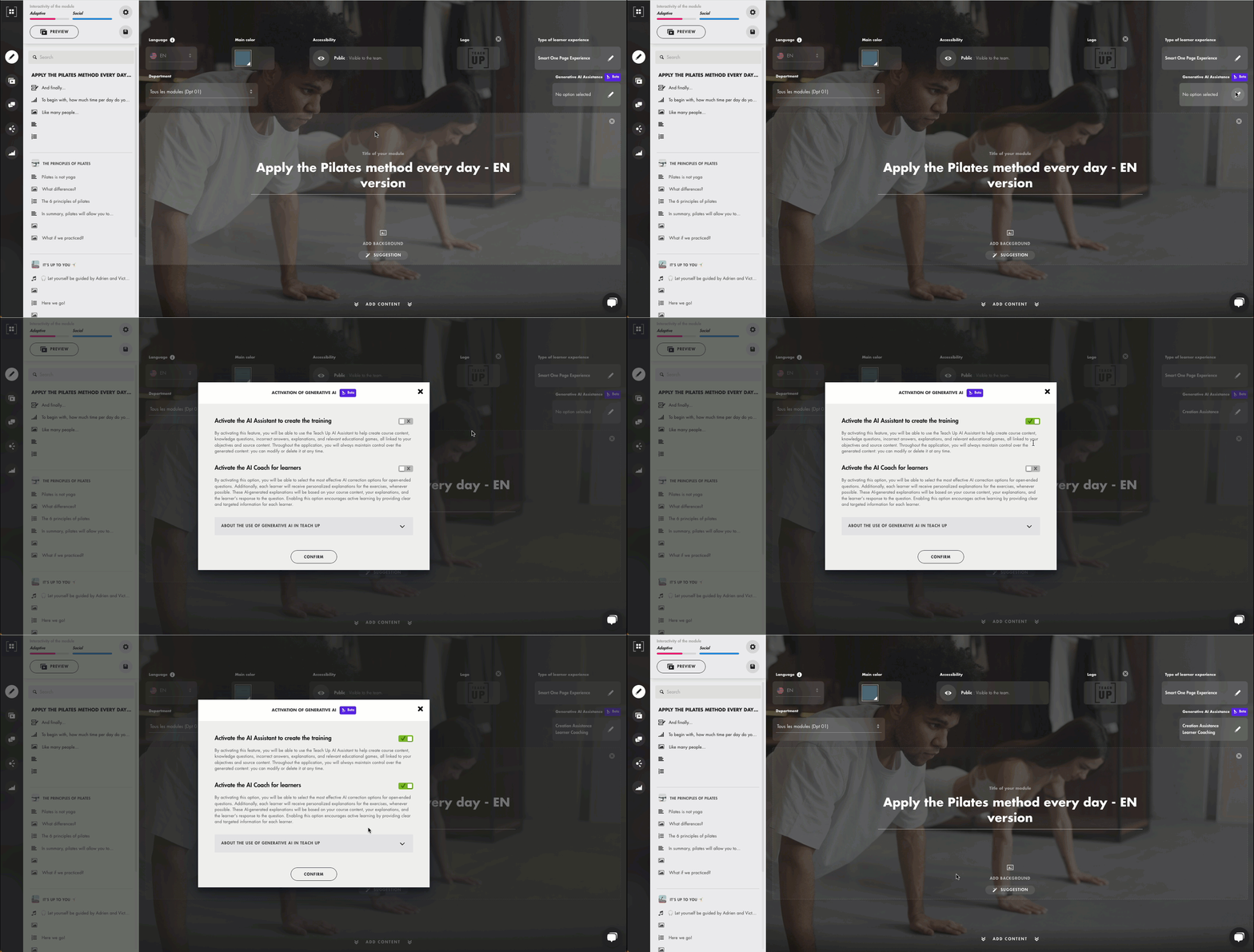
Open your course. At the top of the page, click the pencil in the "Generative AI Assistance" field, check "Activate the AI Coach for learners", then click "Confirm".
 Click the image to open it in a new tab.
 -
Add a knowledge question (find the dedicated article here) and write your question as well as the correct and incorrect answers in the designated fields. Activating generative tools can help you formulate your content faster.
-
In the "Correct answer and explanation" tab, make sure the "AI-enhanced personalized coaching" option is enabled.
-
Open the "Correct answer and explanation" tab and provide a short explanation. The generative AI will rely on this explanation to coach your learners. If no explanation is provided, the AI will operate independently, but the coaching will be less precise.
-
Check the "Course Reminder" option if the question addresses a key point in the course and the learner must understand the correct answers thoroughly.

The learner experience
Personalized coaching for an incorrect answer
When the learner provides an incorrect answer to a question, they are prompted to click on the "Explanation" button. A real-time explanation, tailored to their specific answer, is then offered.
If the initial explanation doesn’t satisfy them, the learner can request a rephrasing. This new version will include a humorous tone to aid memorization.
If the rephrased explanation is still unsatisfactory, the learner can review the answer provided by the author (if the "Course Reminder" option is activated).
 Click the image to open it in a new tab
Personalized coaching for a correct answer
If the learner answers the question correctly, they can either continue their training or choose to view an additional explanation.
If the learner views the explanation, a positive comment is generated in real-time, highlighting their success and offering additional insights to deepen their understanding.
As with an incorrect answer, the learner can request a rephrasing or consult the original answer provided by the author.
 Click the image to open it in a new tab
Frequently Asked Questions
Is it possible to select which questions the AI coaching is activated for?
Yes. AI-enhanced coaching is activated for the whole course, then each knowledge question has its own "AI-enhanced personalized coaching" switch, in the "Correct answer and explanation" tab. Switch it off if you do not want the AI to adapt the explanation for that question.