
The digital onboarding is an online training path designed by the Teach Up team. It guides you, step by step, to create, with or without the AI Assistant, and distribute your first Adaptive Learning course, with tips for designing your first training.
It is the best ally for authors who are new to Teach Up or need a refresher. Useful whatever your role on the platform, you can follow it at your own pace and come back to any part whenever you need it.
| 16 steps | 4 h estimated time | EN · FR two versions |
Table of contents
The programme
The training path "Create with Teach Up? Easy ✨" has six parts. Parts 4 and 5 are practice and inspiration resources: pick what you need.
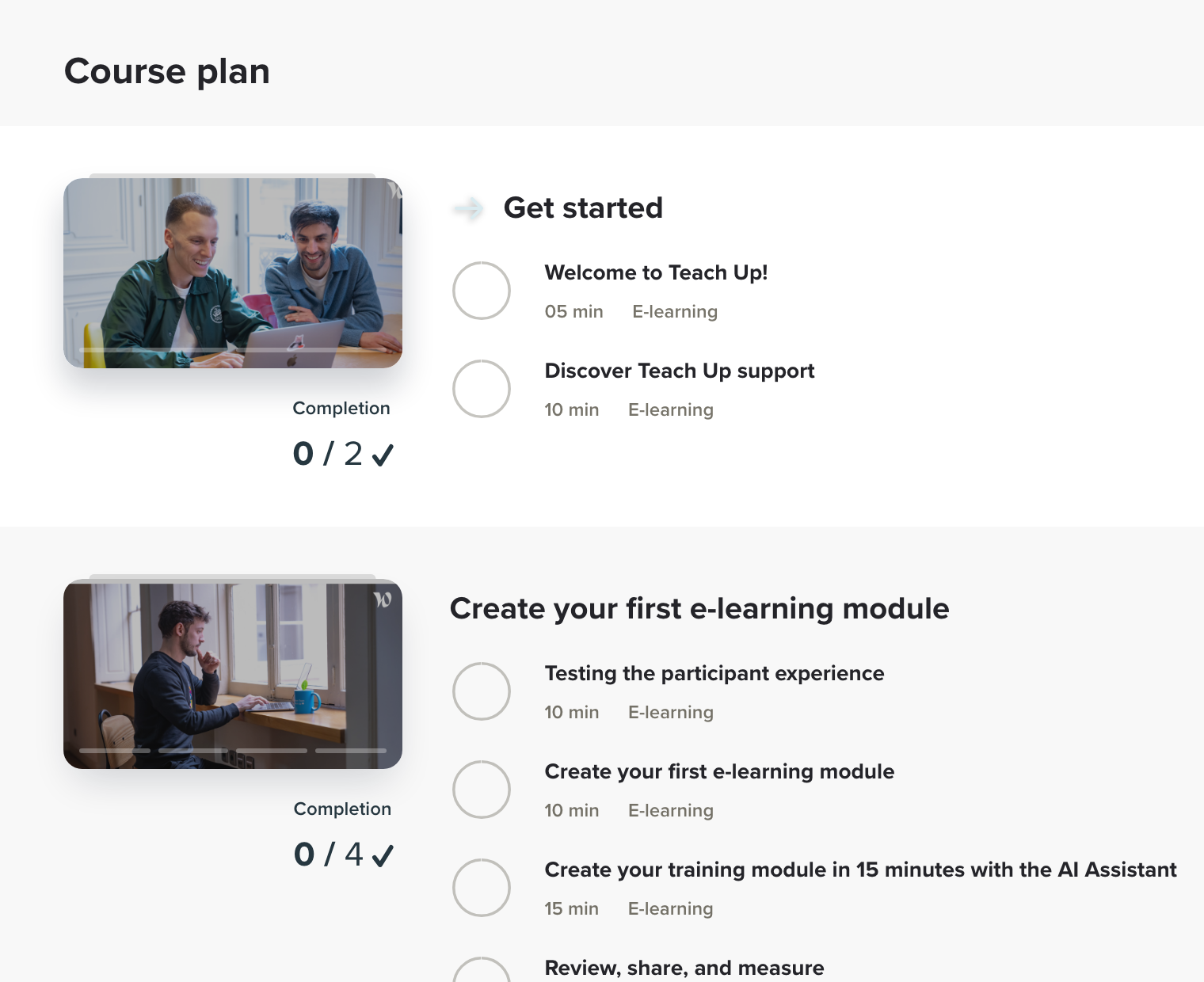
| 1 | Part 1 · 15 min Get started • Welcome to Teach Up! (5 min) • Discover Teach Up support (10 min) Open the training path → |
| 2 | Part 2 · 50 min Create your first e-learning module • Testing the participant experience (10 min) • Create your first e-learning module (10 min) • Create your training module in 15 minutes with the AI Assistant (15 min) • Review, share, and measure (15 min) Open the training path → |
| 3 | Part 3 · 20 min Go further with the creation of an assessment and a training path • Create your first assessment (10 min) • Create your first training path (10 min) Open the training path → |
| 4 | Part 4 · 2 h Step-by-step training Four step-by-step guides (30 min each): create a course with the AI Assistant, create a course without AI, create an assessment and create a training path. Open the training path → |
| 5 | Part 5 · 30 min Get inspired Two example courses (soft skills and a more technical subject) and a self-assessment on cyber security practices. Open the training path → |
| 6 | Part 6 · 5 min Give us your opinion Your feedback helps us keep the digital onboarding up to date. Open the training path → |
Start the training path
- Open the digital onboarding training path and log in to Teach Up.
- Watch the welcome video, then click "Start".
- Follow the steps in order, or choose a part in the "Course overview".
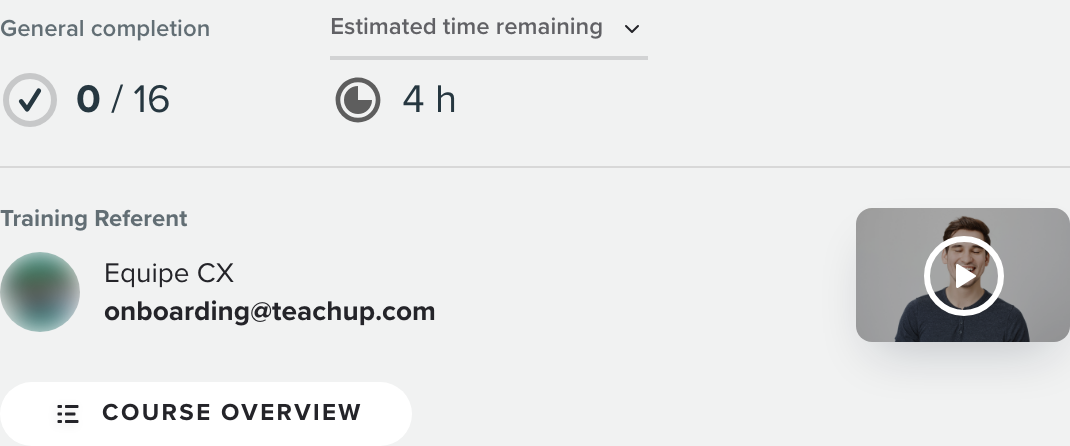
The training path page shows your "General completion" and the "Estimated time remaining", so you always know where you are.
Click the image to open it in a new tab.
The "Course overview" lists every part with its steps and their duration.
Click the image to open it in a new tab.
🎧 Use headphones or earphones: the training path includes audio and video.
Who is it for?
 | You are new to Teach Up Create your first course by following the training path step by step. |
 | You need a refresher Go back over the basics at your own pace, part by part. |
 | You are an administrator or project sponsor Discover what your authors will create and distribute. |
The training path is also available in French: "Créer avec Teach Up ? Facile ✨". A question about the training path? Write to the CX team: onboarding@teachup.com.
To go further: Create my first AI course in less than 15 minutes.