
Social Learning is a teaching approach that encourages exchanges between learners to boost engagement, motivation and collaborative learning. In Teach Up, it takes the form of surveys and discussion boards built directly into your courses.
Table of contents
- Introduction to Social Learning
- Using Social Learning in Teach Up
- Measure interactivity in your courses
- Frequently asked questions
Introduction to Social Learning
Social Learning refers to the learning that takes place through discussions and exchanges between peers. This method increases learner engagement and motivation by allowing learners to learn from one another throughout their experience.
Click the expand icon  to watch the video in full screen
Using Social Learning in Teach Up
Access Social Learning activities
In Teach Up, Social Learning activities are grouped in the "Social" tab of the content bar and include:
- The survey: to gather learners' views and opinions;
- The discussion board: to ask questions and collect learners' contributions.
Add surveys and discussion boards
To make your courses more interactive and engaging, we recommend that you:
- Include surveys regularly in the key sections of the course (around one or two surveys per subsection).
- Ask questions on the discussion board to spark discussion (around one or two questions per course).
Measure interactivity in your courses
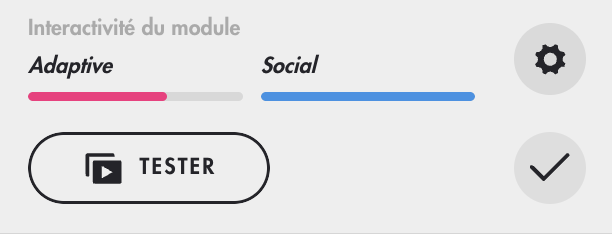
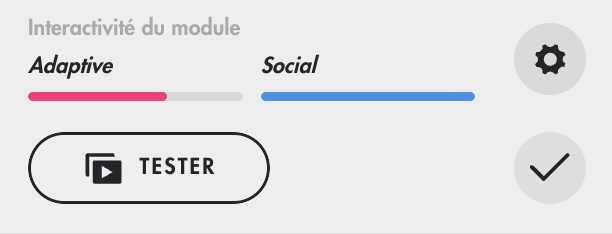
Teach Up has an interactivity gauge, displayed at the top of the course outline, that shows the presence of "social" content. The more surveys and discussion boards you add, the more the gauge fills up. For more details, click the gear icon  .
.
Frequently asked questions
How do I create a survey?
To create a survey, go to the "Social" tab of the content bar, select "Survey", then write the question and the answer options. Configure the survey if needed, for example by allowing free-text answers.
What is the interactivity gauge for?
It measures the amount of interactive content in your course, such as "social" activities (surveys and discussion boards).
Can I see learners' individual answers?
No. Survey answers are completely anonymous: a learner cannot be identified from their answers. Only aggregated statistics are available.
By making effective use of Social Learning features in Teach Up, you boost learner engagement and build a dynamic, interactive learning community.