
In a Teach Up course, your learners don't see a list of questions: they play. The knowledge questions you write are turned into games, and they don't all appear at the same time. This article explains what the learner experiences, in order, and why your test doesn't always look like what you set up.
Table of contents
- Intro games and questions: two families not to confuse
- The learner's journey, step by step
- The role of Adaptive Learning
- Why a game doesn't appear
- What about assessments?
- Frequently asked questions
Intro games and questions: two families not to confuse
A course contains two families of games. They look alike to the learner, but they don't work the same way:
| Intro game | Knowledge question | |
| Where do you set it up? | On a text (highlighted words), an image or a list | In the right margin of a content, with the « Validating knowledge » button |
| When does it appear? | Before the content, as an introduction | Right after the content, during reinforcement, or not at all (with Adaptive Learning) |
| What form does it take? | Fill in the blanks, labels to place, area to find, steps to put in order… | One of the 7 games: Open-ended question, Multiple choice, Swipe Cards, Mystery Card, Words Master, Word Search Puzzle, Hidden answer |
| Counts towards mastery? | No | Yes |
Each game is described in Understand games in a course: intro games and question games.
The learner's journey, step by step
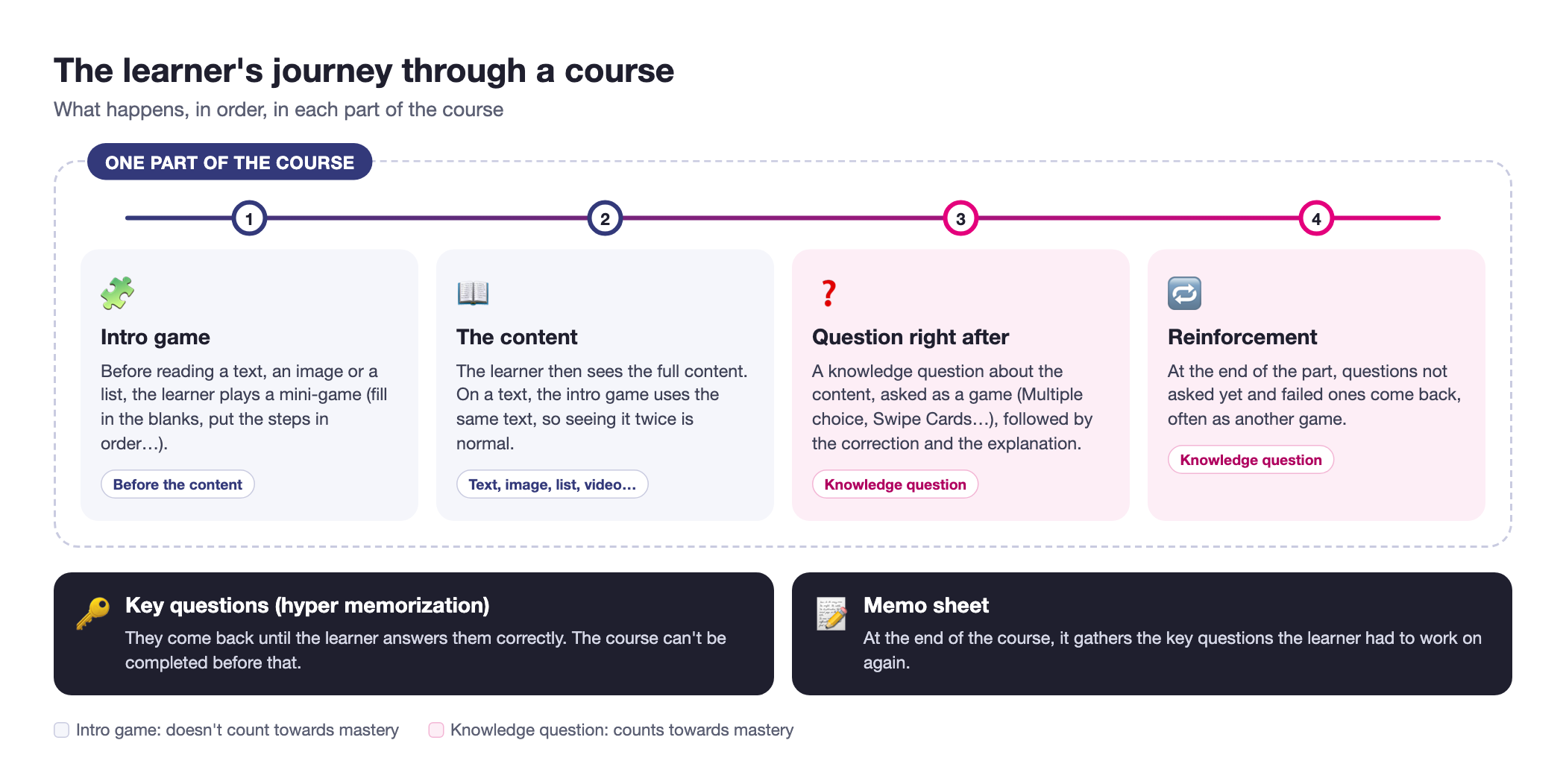
Here is what happens in each part of the course:
Click on the image to open it in a new tab
1. The intro game
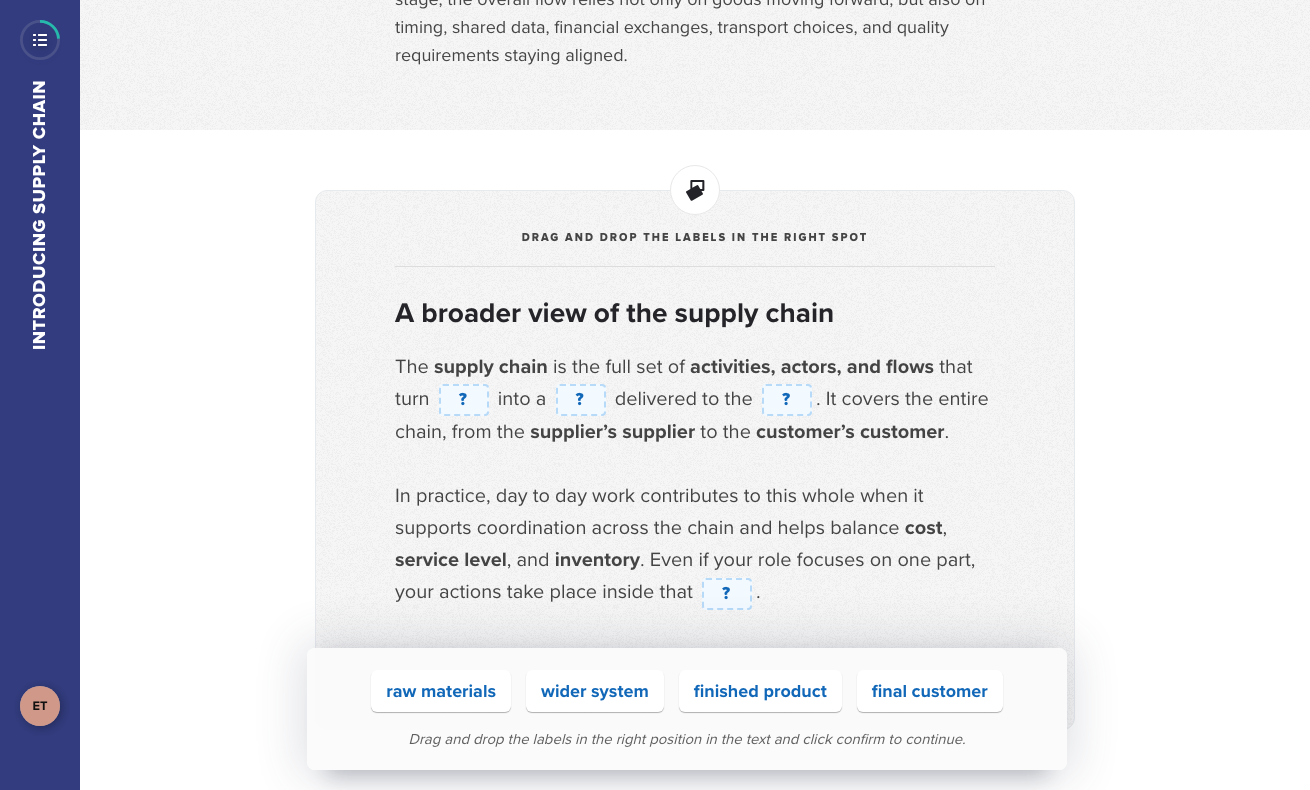
If you set up an intro game on a text, an image or a list, the learner plays it before discovering the content. For example, on a text, they drag labels into the right spots, then immediately see the correct answers.
Click on the image to open it in a new tab
2. The content
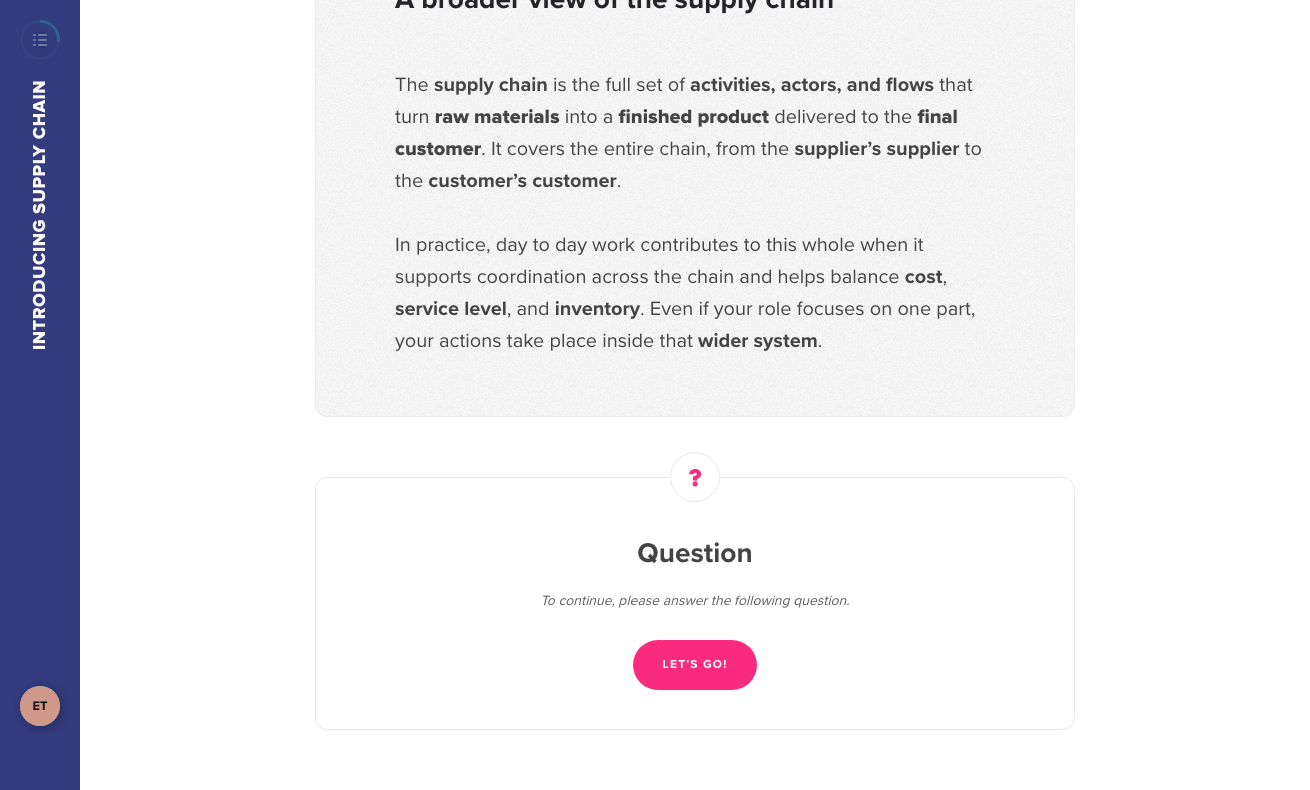
The learner then sees the full content. On a text, the intro game uses the same text, so seeing it twice is normal.
3. The question right after the content
When the content has one or more knowledge questions, the learner sees the message « To continue, please answer the following question ».
Click on the image to open it in a new tab
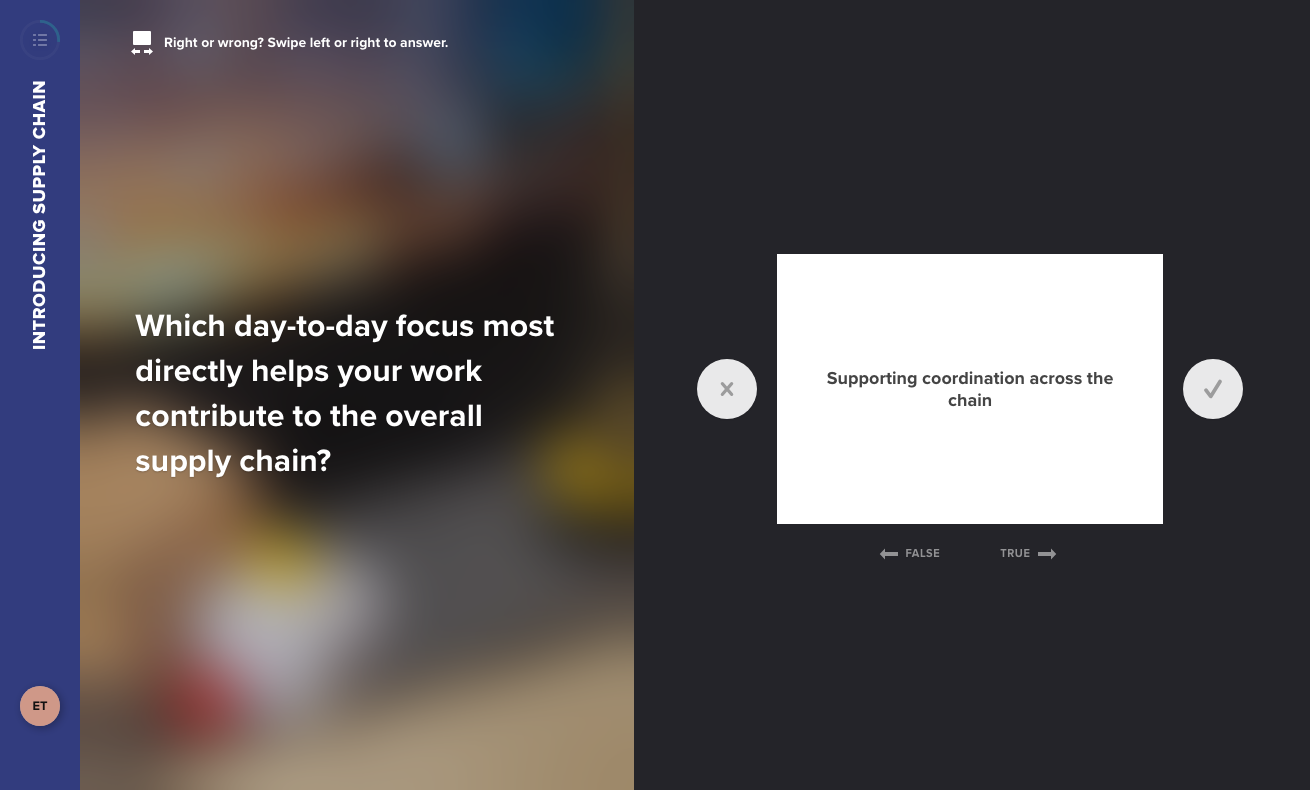
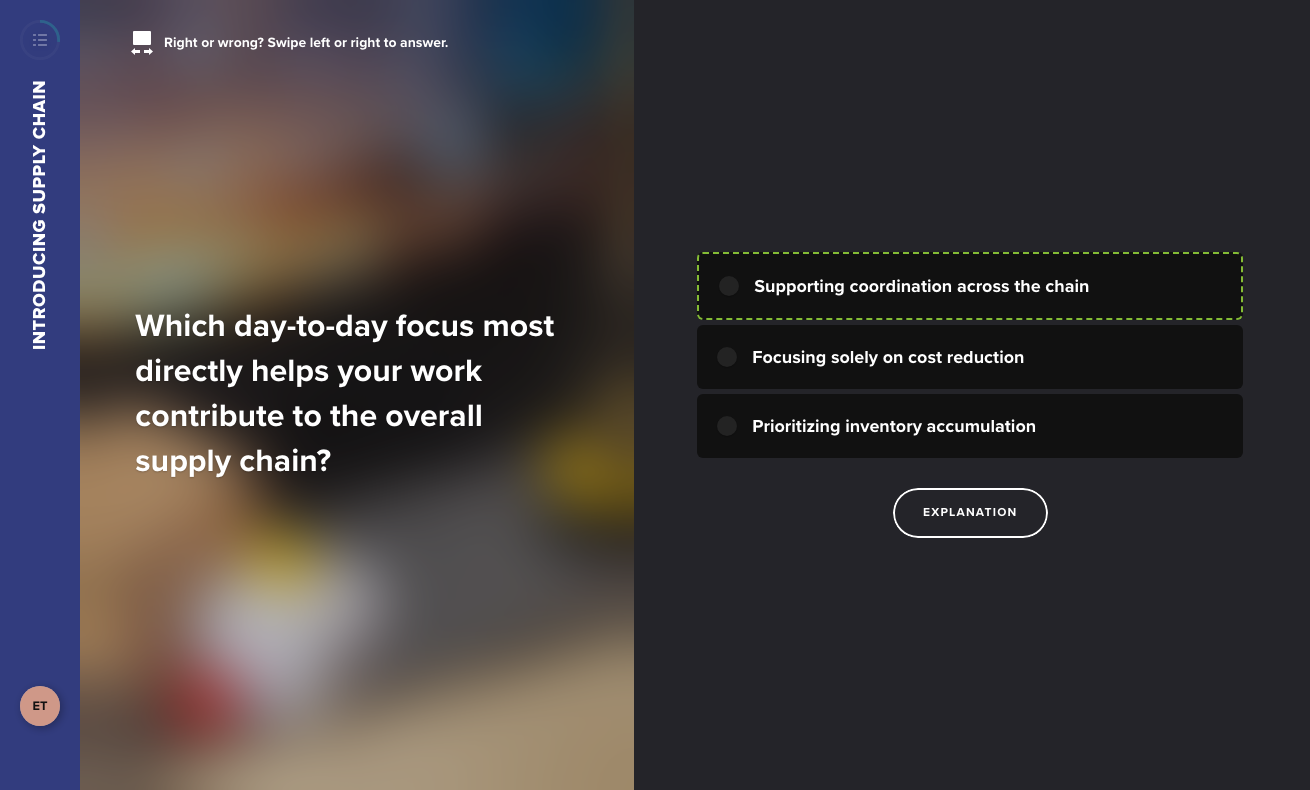
The question is asked as one of the games you selected, here « Swipe Cards »: the learner swipes each statement to true or false.
Click on the image to open it in a new tab
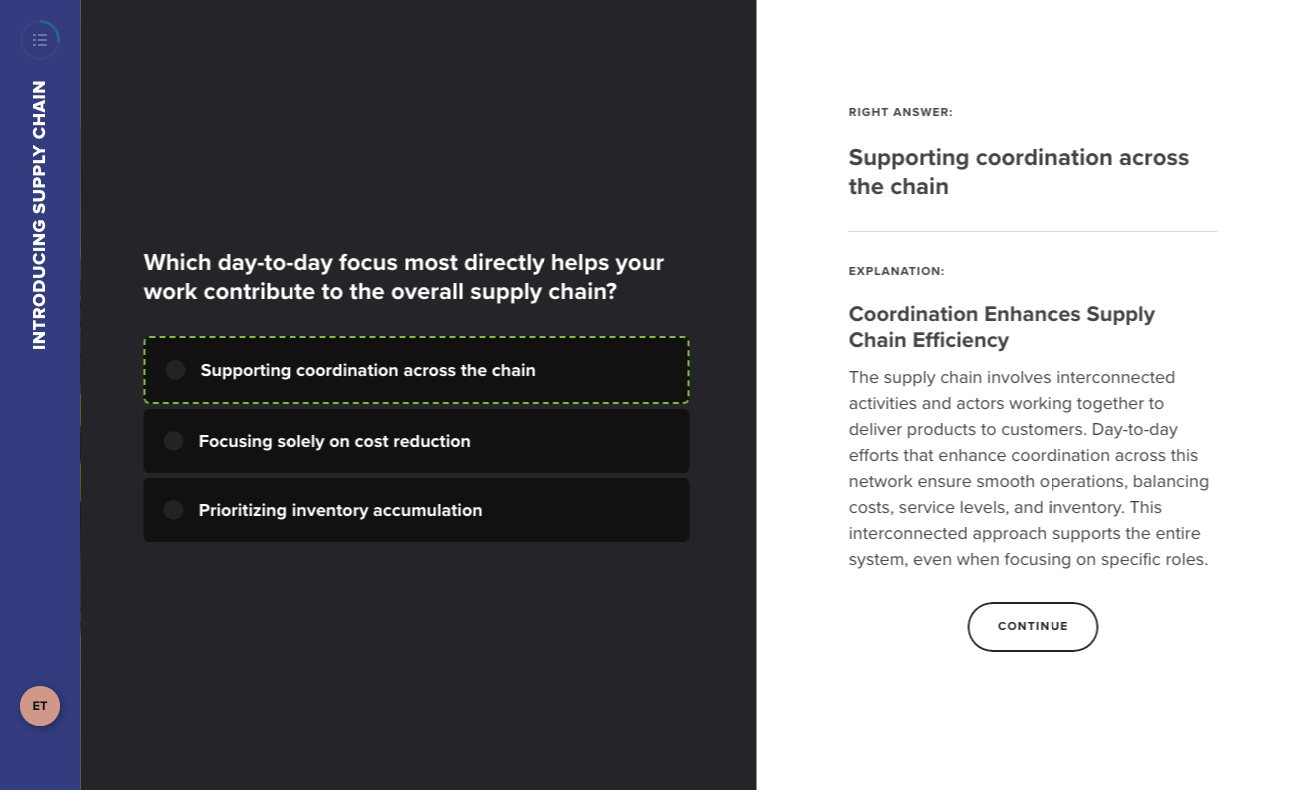
As soon as they confirm, the learner sees the correction: the right answer is outlined in green. The « Explanation » button then displays your explanation.
Click on the image to open it in a new tab
Click on the image to open it in a new tab
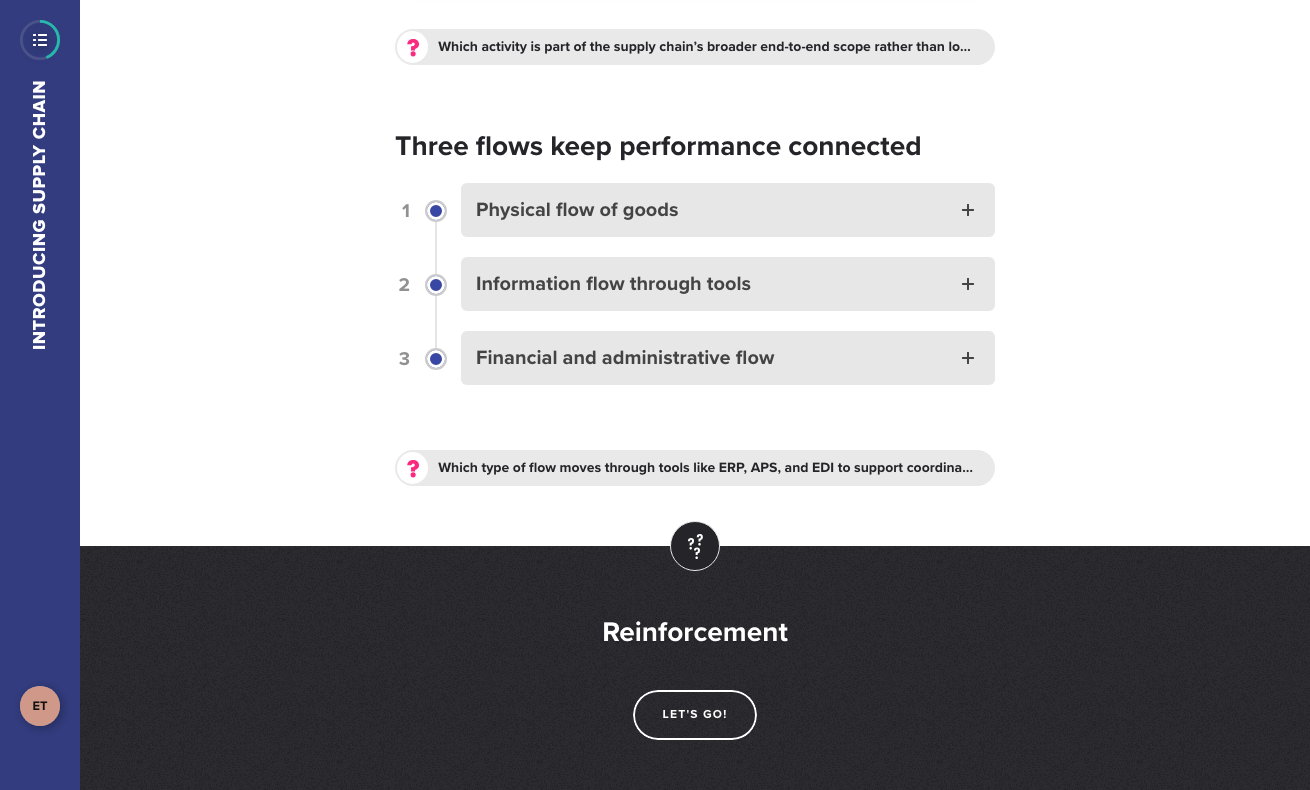
With Adaptive Learning, not all questions of a content are asked at this point. In our example, the content has three questions and only one was asked right after it.
4. Reinforcement
At the end of each part of the course, a reinforcement phase starts. It brings back the questions not asked yet and the ones the learner got wrong.
Click on the image to open it in a new tab
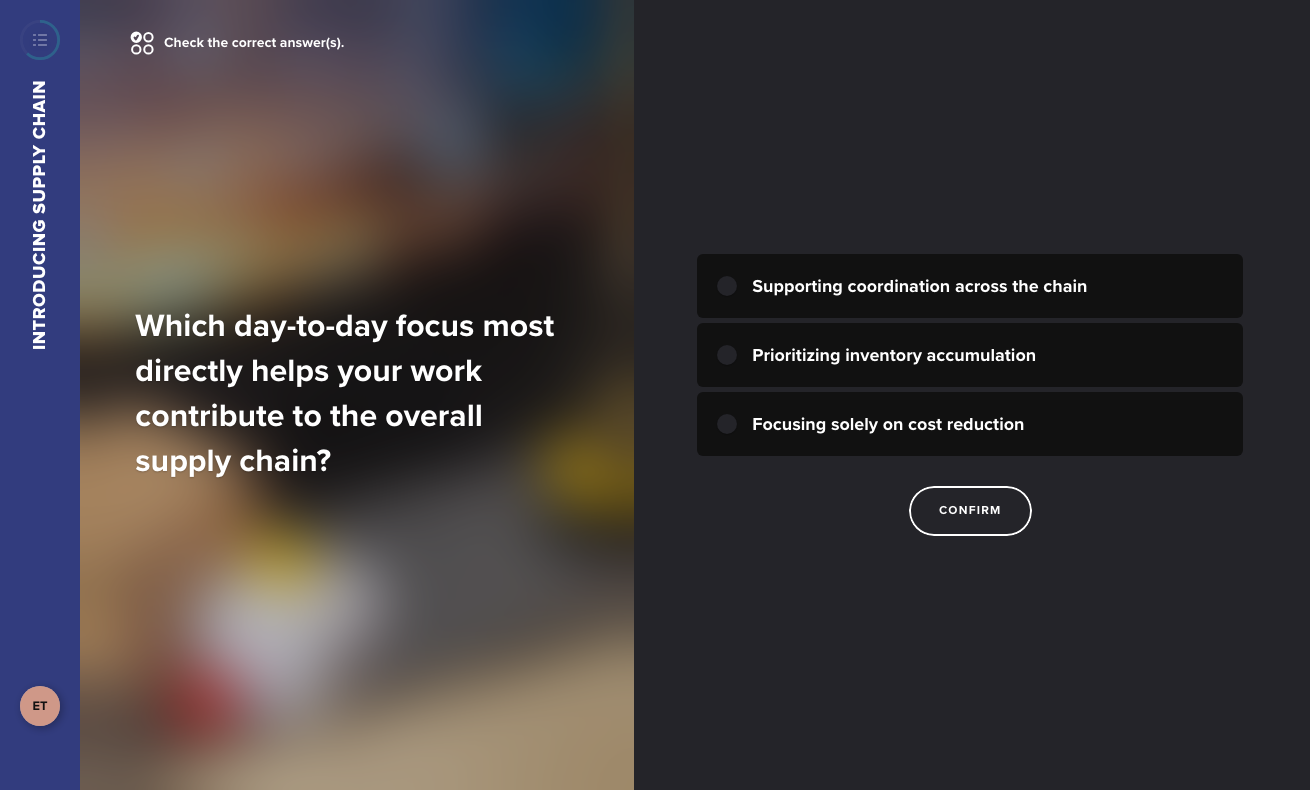
A failed question usually comes back as another game. In our example, the question failed as Swipe Cards comes back as Multiple choice.
Click on the image to open it in a new tab
For a failed question to come back during reinforcement, at least two games must be selected and available for it. With a single game, it doesn't come back. To learn more, see Understand Adaptive Learning.
5. At the end of the course: key questions and the memo sheet
If you enabled « Key question: hyper memorization » on some questions (only available with Adaptive Learning), the learner is warned at the start of the course by the « Keep the essentials » window. They must answer them correctly to complete the course: during reinforcement, they are asked again, through different games, until the learner succeeds. A memo sheet is built at the end of the course with the key questions the learner had to work on again. To learn more, see Hyper-memorization in a knowledge question.
The role of Adaptive Learning
Adaptive Learning is the engine that decides, for each learner, which questions to ask, when, and as which game. It explains most of the differences between two tests.
| Adaptive Learning on | Adaptive Learning off | |
| Questions asked right after the content | Only some of them, depending on the learner's answers | All of them |
| Number of answer choices | Can be reduced if the learner is struggling | All choices |
| Game used | Chosen according to the learner's level among the selected and available games | The selected and available games, without personalization |
| Reinforcement | Yes, at the end of each part | No |
| Key questions (hyper memorization) | Yes | No: the option only exists with Adaptive Learning |
You can also keep Adaptive Learning on and force a specific question to be asked right after its content: enable « Ask this question immediately after the associated learning content » in the question's « More options ». A content with a single question always asks it. How to enable Adaptive Learning is described in Understand Adaptive Learning.
Why a game doesn't appear
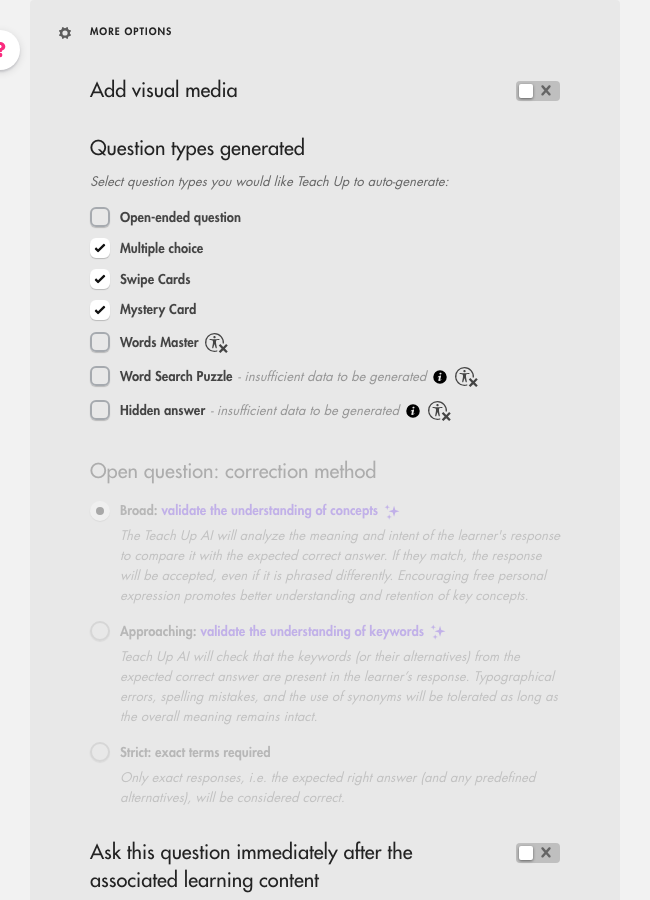
Each game needs some data to be generated: number of wrong answers, length of the correct answer, etc. In the question's « More options », under « Question types generated », a game that can't be generated shows « insufficient data to be generated ». Hover over the i icon next to it to see what's missing.
Click on the image to open it in a new tab
You can select a game even if it isn't available yet: it will be used as soon as the question meets its conditions. See the conditions of each game in the table of the 7 games and their conditions.
The easiest way to get varied games: one short correct answer (a single word if possible) and at least two wrong answers.
What about assessments?
In an assessment, questions are also asked as games, with six of the seven games: Hidden answer isn't available. However, there is no Adaptive Learning and no reinforcement: each question is asked once. To learn more, see Create and configure a question in an assessment.
Frequently asked questions
I'm testing my course and I don't see all my questions. Is that normal?
Yes, if Adaptive Learning is on: some questions are kept for reinforcement, others aren't asked if you answer correctly. To check a specific question, preview it on its own with « Preview the question » (see Test content on Teach Up), enable « Ask this question immediately after the associated learning content », or turn Adaptive Learning off temporarily.
Why is the same text displayed twice?
The first time is the intro game set up on the text (for example, labels to place). The second time is the text itself.
Why does a question come back when I already answered it?
It comes back during reinforcement if you got it wrong (provided several games are checked on the question). If it's a key question (hyper memorization), it comes back until you answer it correctly.
Why don't my learners see all the answers I entered?
When a learner is struggling, Adaptive Learning can reduce the number of answer choices to help them progress.
A game I selected never appears. Why?
Either the question doesn't meet this game's conditions (« insufficient data to be generated »), or Adaptive Learning chose another game. Words Master, Word Search Puzzle and Hidden answer are also flagged as not suitable for learners with accessibility constraints.
How do I prevent a question from coming back during reinforcement?
Select only one game for this question, or turn Adaptive Learning off for the course.
Do intro games count towards mastery?
No. Only knowledge questions count towards mastery.
I changed my questions but don't see the changes when I test.
Use the studio's « Preview » button: it always shows the latest version. See I don't see my changes when I test my course.